
Mega Dashboard › Guides
A Home Assistant dashboard without YAML: a visual editor that works on the dashboard
Updated 7 October 2026
Why YAML gets in the way
Home Assistant can show almost anything, but a dashboard that looks good usually means a dozen custom cards from HACS, card-mod for the styling, YAML for the layout and evenings of reloading to see why something doesn't line up. Every later change starts that over again. The built-in editor has improved a lot, yet anything beyond the standard cards still ends up in YAML.
How editing works in Mega Dashboard
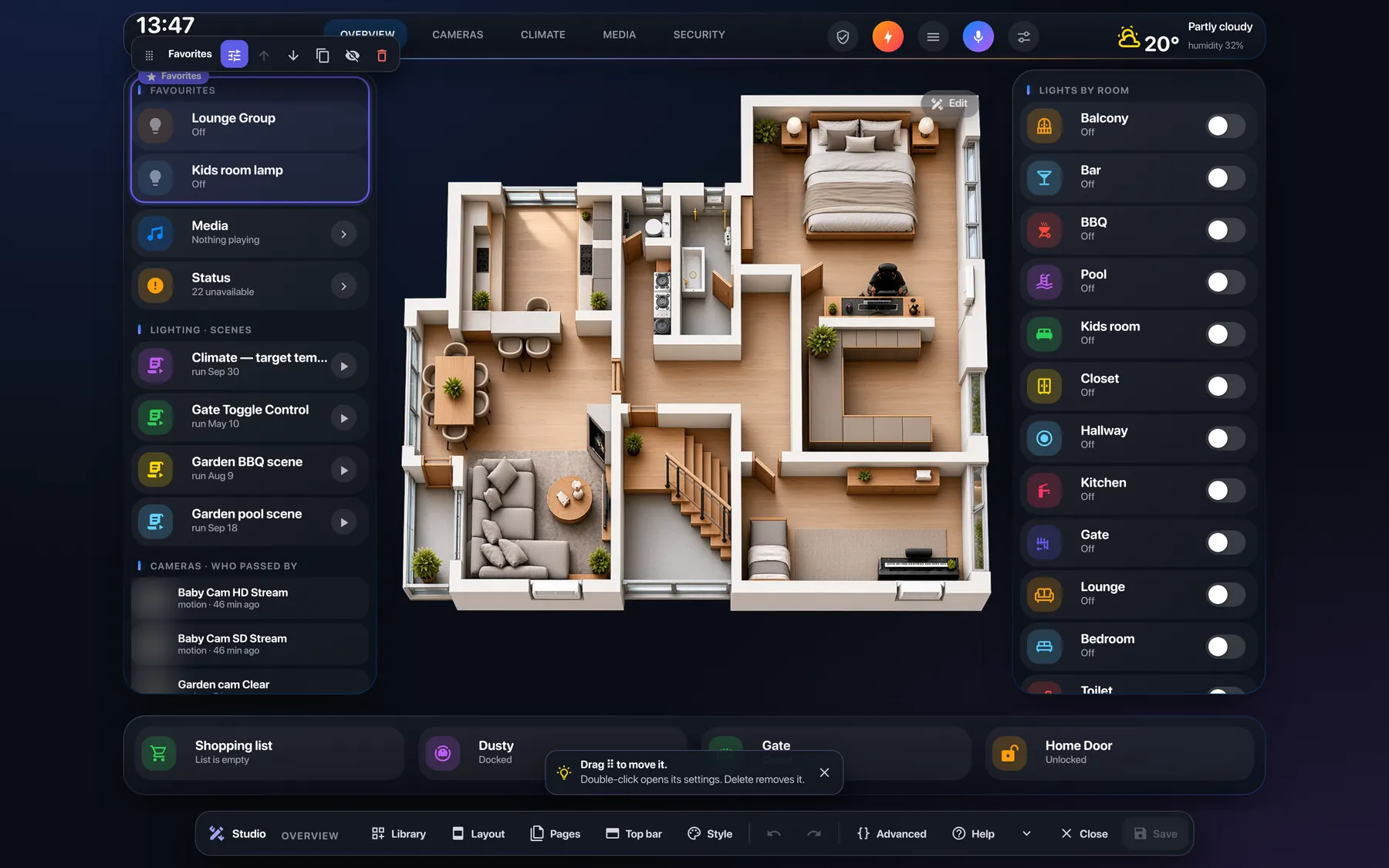
- Tap to select. Tap a module and a small toolbar appears above it: ⠿ to drag, ⚙️ for settings, arrows, copy, hide and delete. Tap again to go inside and change one card, then one part of it — a name, an icon, a colour.
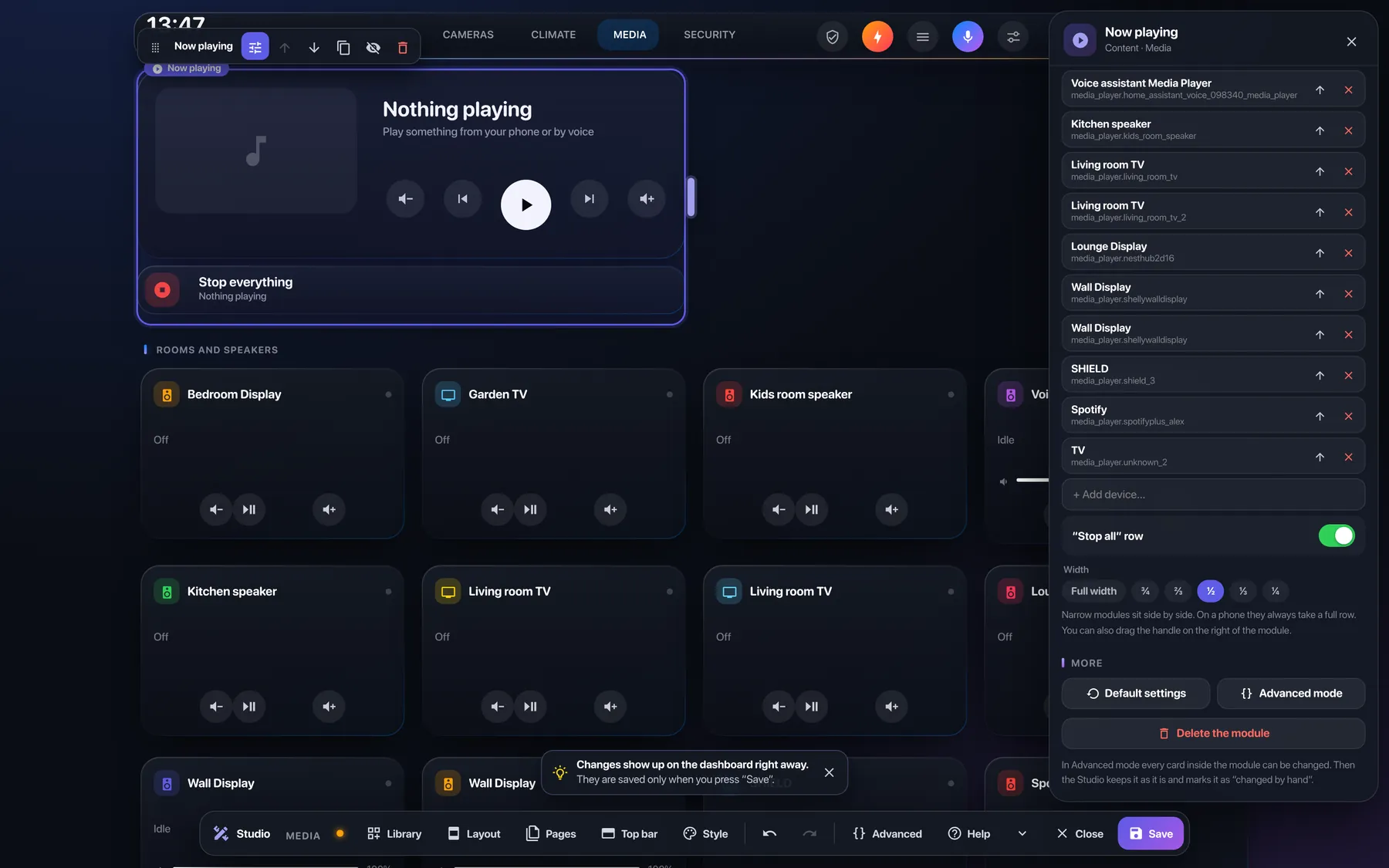
- Slide to resize. Drag the bar on a module's right edge to ¾, ⅔, ½, ⅓ or ¼ of the row. Narrow modules sit side by side, and on a phone they stack again by themselves.
- A library that knows your home. 37 modules — rooms, lights, scenes, cameras, climate, radiators, media, remote, energy, locks, people, weather, vacuum, system and boxes for your own. Each one is previewed with your own devices before you add it.
- Settings as a plain list. Every option a card has, with names, switches and colour and icon pickers — even options that have no field in the usual forms. JSON is still there if you want it.
- Safe by default. Nothing is written until you press Save. Ctrl+Z undoes any step, you're told if someone else changed the dashboard meanwhile, and any earlier save can be brought back. Pages you made by hand are left alone.
- Each screen its own version. Pick computer, tablet or phone in the bottom bar and your changes apply only to it — or to all at once.
- For the tinkerers. A tree of the whole dashboard, a full card editor with forms instead of YAML, and Ctrl+K to find anything.
You don't start from a blank page
A wizard asks ten questions — language, screen, the devices you really use, rooms, pages, an optional picture of the home, the look — and builds the whole dashboard from your answers. It reads the last 14 days of the logbook and counts only what a person switched, so your real favourites end up on top. Then you fine-tune it in the Studio.
Try it before you install
The home page has a small working copy of the Studio. The five steps take about a minute and nothing leaves your browser.
Needs Home Assistant 2024.10+ and an administrator account. The app also installs the free, open-source cards the dashboard uses (button-card, layout-card, card-mod, kiosk-mode, mini-graph-card, advanced-camera-card); any you already have are left as they are.